The PhDometer

Announcing: the PhDometer, a writing productivity app for academics!

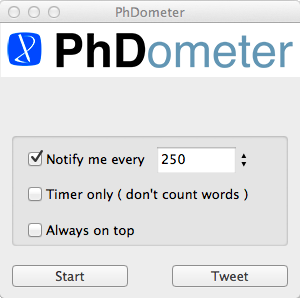
The PhDometer (pronounced F’dometer) is a pedometer for PhD students and beyond.
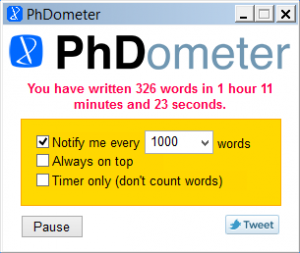


It tracks your writing journey in a way that suits you: time spent writing, words written (ALL words – edit away my intellectual friends!), or time AND words.

It’ll spur you on by marking your writing triumphs, and when you finish a session, it lets you show what you’ve achieved by linking to your Twitter account (you can even include a hashtag like #acwrimo or #acwri to share your success with your global academic writing buddies).

Sometimes academic writing feels like one step forwards and three steps back, the PhDometer shows you that it’s ALL progress!

***

Here at PhD2Published we’re passionate about being free and open with advice about all things academic. Initially we gave away the PhDometer for free to all participants in AcWriMo 2012. We’re now hoping that if you buy this app (for just £1.99) we can recoup a few of our costs and continue our work on your behalf.

Get the PhDometer for Windows (note: after you pay click the link that says ‘click here to return to charlotte@digitalcritic.org’ to download)

PayPal — The safer, easier way to pay online.
(PhDometer for Macs is coming soon!!!)

The PhDometer is a collaboration between PhD2Published and designer Sam Beddoes and is inspired by the awesome 2012 AcWriMo team! We’d love your feedback so please leave your comments below. If you have any problems with functionality just let us know.


8 Comments

8 Comments

  1. What a wonderful idea! Thank you so much for thinking of this and sharing it. I’m looking forward to trying the app when the Mac version is available.

  2. Thank you so much, it means a lot that people like the idea. We’ll spread the word when the Mac version is ready!

  3. Love this idea! Does the app subtract words redacted? :)

  4. Hurrah!

    If you write a bunch of words and delete some and then carry on writing, it doesn’t subtract the deleted words – just keeps counting. If you go back and replace some with new ones, as long as you hit the space bar it will keep counting them as new words. So if you write 200 words, delete 100 and then write another 100 the PhDometer will rightly tell you that in all that time you wrote 300 words. If you then go on to replace 50 of them (and hit the space bar between replacements) the PhDomter will tell you you’re up to 350 words. Writing software will always tell you the amount of words you have in a document at any one time, this will tell you how many words it took to get somewhere…

  5. I paid for this but never got the link….what should I do?

  6. I’m sending you over access. There was a link to follow but it was our fault that initially this link wasn’t obvious enough…Sorry!!!

  7. When is it going to come out for mac? ** Patiently awaiting! **

Leave a Reply

What is 7 + 12 ?
Please leave these two fields as-is:
IMPORTANT! To be able to proceed, you need to solve the following simple math (so we know that you are a human) :-)

Using Gravatars in the comments - get your own and be recognized!

XHTML: These are some of the tags you can use: <a href=""> <b> <blockquote> <code> <em> <i> <strike> <strong>